Welcome to Pilot’s New Prime Parking Experience
For professional drivers, finding a parking spot at the end of a long day just got easier.
We’re excited to introduce a new digital parking experience that makes reserving and checking in to your parking space safer, faster and more convenient. Using the Pilot app on your phone, you can make and manage your reservation, check in right from your cab and save truck information for future trips.
Here’s what you need to know.
What’s Changing with Pilot Prime Parking
Prime Parking is moving from paper hang tags to digital check-in through the Pilot app.
Instead of having to go inside the store to a counter or kiosk to get a hang tag for your truck, you’ll now be able to check in digitally when you arrive at one of Pilot’s more than 900 travel centers across North America. Your license plate information will be used to help verify reservations, making the process simple and quick.
The result is a more streamlined experience you can manage right from your vehicle. Stay comfortable in your truck with no need for an in-person check in.
How to Reserve a Prime Parking Space
Step 1: Make Your Reservation
You can reserve a Prime Parking space through:
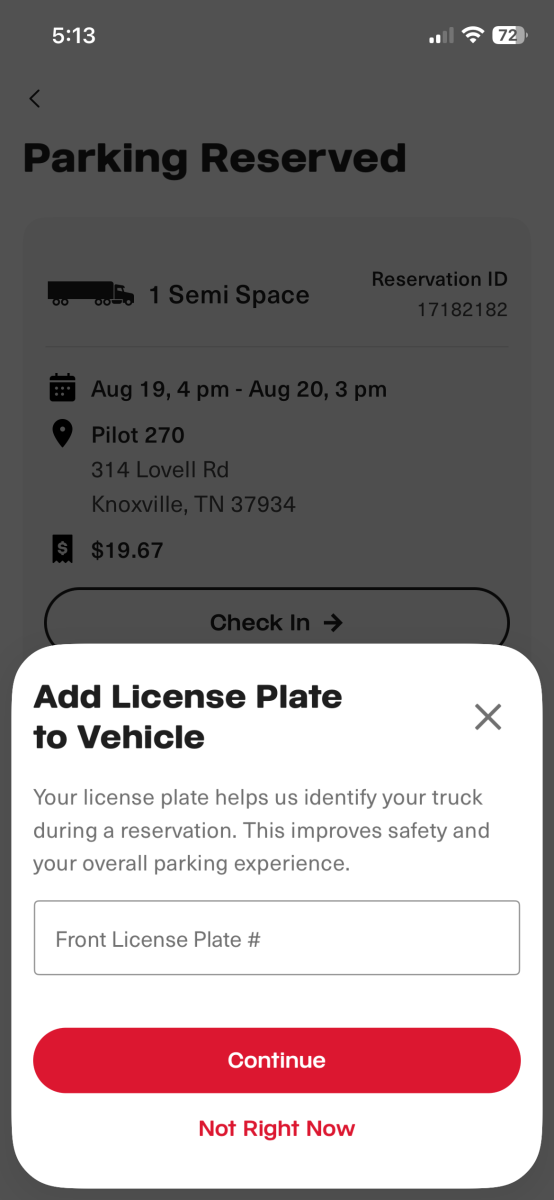
During the reservation process, you’ll be asked to provide your truck license plate number. While this is not required, your license plate helps us identify your truck during a reservation. This improves safety and your overall parking experience.
Step 2: Get Confirmation
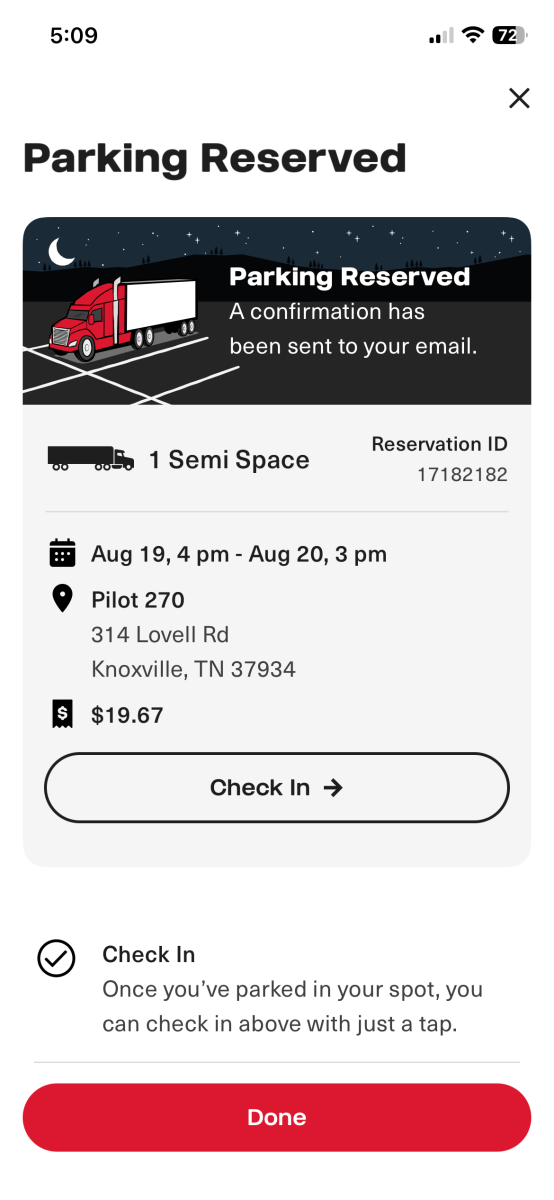
Once your reservation is complete, you’ll receive confirmation that your Prime Parking space has been reserved. Now, you’re all set with a parking spot waiting for you at your preferred stop.
How to Check in When You Arrive
Step 1: Open the Pilot App
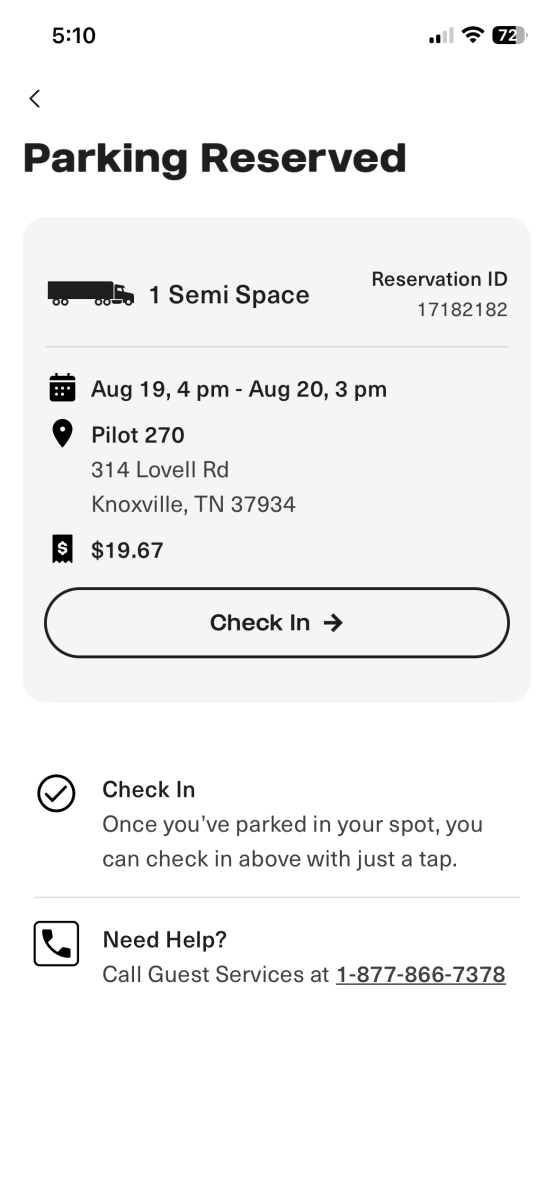
When you arrive at one of our travel centers, open the Pilot app and locate your Prime Parking reservation.
Step 2: Complete Digital Check-In
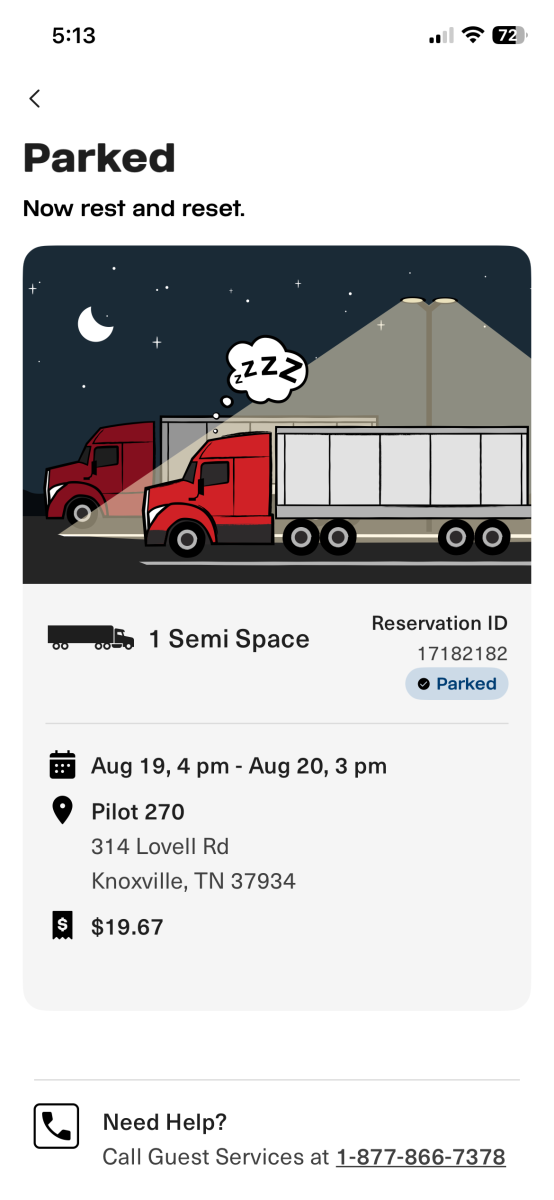
Follow the prompts in the app to check in to your reserved parking space. That’s it! No hang tag required.
Digital check-in lets you confirm your arrival without leaving your truck, helping save time and making the process safer and more convenient.
Don’t Have the Pilot App? No Problem
Drivers can still make Prime Parking reservations through all existing reservation channels, including:
- On the Pilot website
- Through Guest Services
- In-store at the register
If you arrive at one of our travel centers and haven’t checked in digitally, a store team member will be happy to assist with checking in your reservation.
Need a Receipt?
If you made a reservation through the Pilot app, website or guest services, you can review your receipt on the app, or a Pilot store manager can print a receipt for you.
If you made a reservation in-store, a receipt can be reprinted through a register or self-checkout. Ask a Pilot team member if you need assistance.
Need to Cancel or Request a Refund?
If you made a reservation through the Pilot app, website or guest services, a store manager can process cancellations and refunds for eligible reservations for up to 48 hours after the reservation start time. If a store manager is unavailable, Guest Services can assist you.
If you made a reservation in-store, refunds can be processed at the travel center following the standard refund process.
Troubleshooting Reservation Issues
If you’re having trouble, review the common issues below. If you need additional help, please contact Guest Services for assistance.
- A loyalty number wasn’t entered
- A reservation already exists for that night
- Payment wasn’t successfully processed
A Better Parking Experience to Fuel Your Journey
The new Prime Parking experience is designed with professional drivers in mind. By combining digital reservations and digital check-in with the Pilot app, we’re making it easier and quicker for drivers to save a spot, park and relax.
Whether you’re reserving a spot before your trip or checking in after a long day on the road, Prime Parking helps you get parked quickly, so you have more time to enjoy a meal, rest and recharge before your next drive.
Thank you for letting Pilot be your trusty wingman, here to help you make the most of your miles.